
A product label is often the first thing customers notice before they understand what a product offers. A well-planned product label design communicates brand identity, explains important product details, supports purchasing decisions, and helps products look consistent across retail shelves, ecommerce stores, and shipping packages.
Creating an effective label requires more than adding a logo and product name. The design needs to balance visual appeal with practical requirements such as label size, material selection, printing method, readability, durability, and placement on the actual package.
A successful label starts with understanding the complete packaging system:
Product → Packaging → Label Information → Printing → Customer Experience
A label should work with the box, bottle, pouch, jar, or container it is applied to. When brands plan their labels alongside their packaging, they can create a more consistent presentation while avoiding common production issues.
For businesses developing complete product packaging solutions, understanding how labels work with the overall package structure is an important step before production begins.
What Is Product Label Design?
Product label design is the process of creating the visual layout, information structure, and production specifications of a label applied to a product or package.
It combines:
- Brand identity
- Product information
- Graphics
- Typography
- Colors
- Material selection
- Printing requirements
- Label shape and size
- Application method
A product label has two main purposes:
1. Communication
It tells customers what the product is, who made it, and important information they need before purchase.
2. Identification
It helps products remain recognizable across different packaging formats, sizes, and sales channels.
A strong label design considers both how the label looks and how it performs after printing. A beautiful design that cannot handle moisture, shipping, handling, or storage conditions may create problems after production.
Why Product Labels Are More Than Stickers
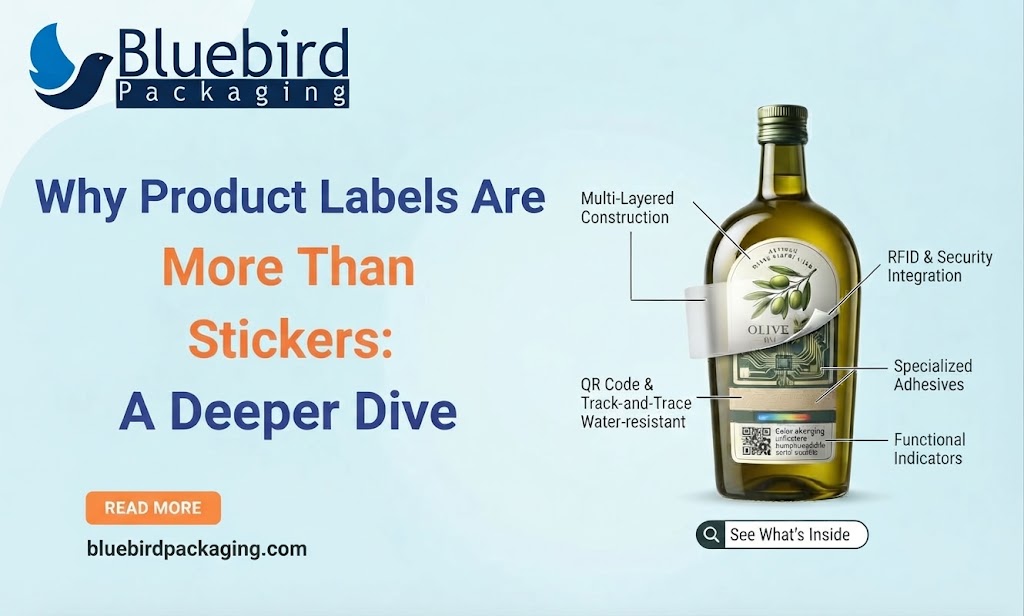
Many businesses think of labels as simple stickers placed on packaging. In reality, labels are part of the complete customer experience.
A product label can:
- Introduce a brand
- Explain product features
- Display important information
- Create shelf recognition
- Support ecommerce product images
- Provide tracking information
- Improve packaging consistency
For example, a skincare brand may use a label to communicate ingredients, product benefits, and brand style, while the outer package provides additional space for presentation.
Similarly, a food brand may use packaging labels for product identification while using the box or insert for additional instructions and brand messaging.
When packaging includes additional printed materials, elements such as packaging inserts can help organize information without overcrowding the main label.
Product Label Design vs Label Printing
Although these terms are often used together, they describe different stages.
The design stage determines what the label should communicate. The printing stage determines how that design is produced on the selected material.
Both stages should be considered together because printing limitations can affect design decisions. For example:
- A very detailed design may not work well on a small label.
- Thin text may become difficult to read after printing.
- Certain finishes can change color appearance.
- Curved surfaces can affect label placement.
Planning both steps together reduces production problems.
What Should a Product Label Include?
The exact information depends on the product type, industry, and market requirements. However, most product labels include several common elements.
The goal is not to include every possible detail on the front surface. A better approach is to decide what customers need to see first and organize supporting information separately.
Product Label Information Hierarchy
A strong label guides customers through information in a logical order. Most effective labels follow three levels:
Primary Information
The first things customers notice:
- Brand name
- Product name
- Main product category
Example: A coffee package should quickly show the brand and coffee type before secondary details.
Secondary Information
Supporting details that influence purchasing decisions:
- Flavor
- Size
- Benefits
- Product variation
- Special features
Supporting Information
Additional details:
- Ingredients
- Instructions
- Barcode
- Storage details
- Manufacturing information
- Customer support details
Good hierarchy prevents labels from becoming crowded and difficult to read.
How Product Label Design Fits Into Packaging
A label should not be designed separately from the package. The available surface area, box structure, material, and opening experience all influence the final design.
For example: A label placed on a custom box should consider:
- Panel size
- Folding areas
- Box edges
- Closures
- Windows
- Existing printed graphics
A label that works on a flat surface may not perform well on a curved bottle or textured package. For businesses planning the complete package, reviewing custom packaging solutions helps connect label design with box structure, materials, and printing requirements.
Product Label Design Process
Creating a professional label usually follows a structured process.
1. Understand the Product
Before designing, identify:
- Product type
- Target customer
- Packaging format
- Selling environment
- Required information
A retail product may require a different approach compared with an ecommerce-only product.
2. Measure the Packaging Surface
Never design a label based only on assumptions. Measure:
- Available width
- Available height
- Curved areas
- Corners
- Seams
- Closures
The label dimensions should match the actual product surface.
3. Create Information Structure
Decide:
- What customers see first
- What information needs emphasis
- What details can move to secondary areas
This prevents overcrowding.
4. Select Label Material
Material choice depends on:
- Product environment
- Moisture exposure
- Handling frequency
- Storage conditions
- Desired appearance
5. Prepare Print-Ready Artwork
Before production:
- Confirm dimensions
- Check colors
- Add bleed
- Verify text
- Test barcodes
- Review final proof
A physical sample check is recommended before large production runs.
Choosing the Right Product Label Size and Shape
The size and shape of a label directly affect readability, appearance, and how well it fits on the package. A common mistake is choosing a label size first and trying to adjust the design afterward.
A better approach is to start with the product surface. Consider:
- Available printable area
- Product dimensions
- Packaging curves
- Required information
- Brand visibility
- Application method
A label should fit naturally on the package without covering important structural elements or making the product look crowded.
Common Product Label Shapes
Different label shapes create different visual effects and work better for specific packaging formats.
Custom shapes can help products stand out, but the design should always support practical application. A creative shape that makes information difficult to read may reduce the effectiveness of the label.
How to Choose the Right Label Size
The correct label size depends on the package, not only the product.
Measure the Product Surface
Identify:
- Flat areas
- Curved areas
- Available height
- Available width
- Corners and edges
For example, a label designed for a cardboard box panel will have different requirements compared with a bottle label.
Consider Information Amount
A small product with many details may need:
- Front label
- Back label
- Side information panel
- Additional packaging insert
Trying to place every detail on one small label can reduce readability.
Test Before Printing
Before approving a large order:
- Print a sample
- Apply it to the actual package
- Check readability
- Review placement
- Confirm customer visibility
Physical testing helps identify issues that may not appear in digital designs.
Product Label Materials: How to Choose the Right Option
The label material affects durability, appearance, and printing performance. Choosing the correct material depends on where and how the product will be used.
There is no single material that works for every product. A food package stored in a refrigerator may require different material compared with a luxury gift product displayed on a shelf.
Choosing the Right Label Finish
The finish changes how customers experience the product visually and physically.
Matte Finish
Matte labels provide:
- Soft appearance
- Reduced reflection
- Premium feel
- Easier reading under bright lights
Commonly used for:
- Cosmetics
- Luxury products
- Minimal packaging designs
Gloss Finish
Gloss labels provide:
- Bright colors
- Strong contrast
- Shiny appearance
- Protection against some surface damage
Commonly used for:
- Food products
- Beverage labels
- Retail products
Special Finishes
Brands may also use:
- Foil effects
- Embossing
- Spot UV
- Textured coatings
- Metallic finishes
These options can enhance product presentation when they match the brand identity.
Product Label Printing Methods
Different printing methods are suitable for different production needs.
The right printing method depends on:
- Quantity
- Budget
- Material
- Color requirements
- Production timeline
Product Label Design for Different Industries
Every industry has different label requirements. A label designed for cosmetics will not follow the same structure as food or CBD packaging.
Food Product Label Design
Food labels need to balance branding with important product information.
Common elements include:
- Product name
- Ingredients
- Allergens
- Nutrition information
- Weight
- Storage instructions
- Expiration details
Food packaging often combines labels with printed boxes to create a complete customer experience. For bakery and food brands, labels can work together with solutions such as custom Printed bakery boxes to create consistent product presentation.
Cosmetic Product Label Design
Cosmetic labels usually focus on:
- Brand identity
- Product benefits
- Ingredients
- Usage instructions
- Premium appearance
Beauty brands often use labels alongside customized packaging structures to create a luxury presentation.
CBD Product Label Design
CBD packaging requires careful information organization.
Labels commonly include:
- Product type
- Ingredients
- Usage information
- Batch details
- Required warnings
CBD brands often combine product labels with specialized packaging to protect products and maintain brand consistency.
Soap Product Label Design
Soap labels need to communicate:
- Product name
- Ingredients
- Scent
- Brand message
- Usage information
Handmade soap brands often use labels with kraft or specialty packaging materials to create a natural appearance.
Product Labels and Custom Packaging Work Together
A label is only one part of the complete packaging system.
Many brands combine:
- Product labels
- Printed boxes
- Packaging inserts
- Stickers
- Protective materials
Each component has a different role.
For example, an ecommerce brand may use a branded box exterior, a product label for identification, and an insert for care instructions.
Product Label vs Printed Packaging
Brands often decide between using labels or printing directly on the package.
Labels work well when products frequently change:
- Flavors
- Sizes
- Variations
- Seasonal collections
Printed packaging works well when branding remains consistent for longer periods.
Product Label Design for Ecommerce Packaging
Ecommerce products face different challenges because customers first see the product through images and then experience the physical package.
A good ecommerce label should:
- Remain readable in photos
- Match the brand style
- Survive shipping conditions
- Support unboxing experience
Labels should also work with shipping packaging. For direct-to-customer orders, brands may combine labels with mailer packaging boxes to create a branded delivery experience.
Common Product Label Design Mistakes
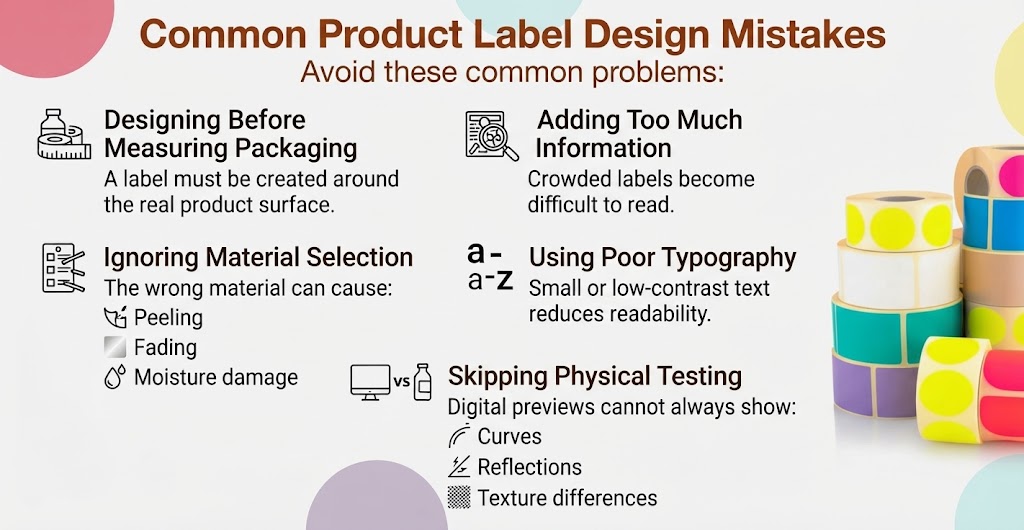
Avoid these common problems:
Designing Before Measuring Packaging
A label must be created around the real product surface.
Adding Too Much Information
Crowded labels become difficult to read.
Ignoring Material Selection
The wrong material can cause:
- Peeling
- Fading
- Moisture damage
Using Poor Typography
Small or low-contrast text reduces readability.
Skipping Physical Testing
Digital previews cannot always show:
- Curves
- Reflections
- Texture differences
Product Label Design Checklist
Before printing, confirm:
- ✓ Product dimensions measured
- ✓ Label size finalized
- ✓ Information hierarchy planned
- ✓ Logo placement checked
- ✓ Colors approved
- ✓ Material selected
- ✓ Adhesive tested
- ✓ Barcode verified
- ✓ QR code tested
- ✓ Print specifications confirmed
- ✓ Proof reviewed
- ✓ Final artwork approved
How to Prepare Product Label Artwork for Printing
A good product label design can look perfect on screen but still fail during production if the artwork file is not prepared correctly. Printing requires attention to technical details such as dimensions, bleed, color settings, resolution, and finishing requirements.
Before sending files to production, review every element carefully:
- Label dimensions
- Product information
- Typography
- Colors
- Images
- Barcode placement
- Safety information
- Print specifications
Product Label Artwork Setup Checklist
Before exporting your final design, confirm the following:
A digital preview is helpful, but a physical proof provides a more accurate idea of how the label will look on the actual package.
Understanding Bleed, Trim and Safe Area
Three important terms in label printing are:
Bleed
Bleed is the extra artwork area that extends beyond the final cutting line. It helps avoid unwanted white edges if the cutting position changes slightly during production.
Trim Line
The trim line shows where the label will be cut. Design elements should not rely on the exact edge because small production variations can occur.
Safe Area
The safe area keeps important information away from the edge. Keep elements such as:
- Product name
- Logo
- Barcode
- Required warnings
inside the safe zone.
CMYK, RGB and Print Colors
Colors displayed on screens and colors produced in printing can appear different. Most professional printing workflows use CMYK color settings because they are designed for physical printing. RGB colors are commonly used for digital screens.
Before production:
- Convert artwork according to printer requirements
- Review color proofs
- Confirm brand colors
- Test special colors if needed
Color accuracy is especially important for brands using consistent packaging across multiple products.
Typography and Readability in Product Label Design
Typography affects how quickly customers understand a product. A strong label should make important information easy to identify.
Font Size
Very small text may become difficult to read after printing.
Font Selection
Avoid decorative fonts for important information. Use creative fonts mainly for:
- Brand personality
- Decorative elements
- Headlines
Contrast
Text should remain visible against the background. Examples:
- Dark text on light backgrounds
- Light text on dark backgrounds
- Clear separation between sections
A clean information hierarchy improves both appearance and usability.
Barcode and QR Code Placement
Many products require barcodes for inventory, retail systems, or tracking.
When placing barcodes:
- Keep enough blank space around the code
- Avoid curved surfaces
- Check contrast
- Test scanning after printing
QR codes should also be tested using real devices before final approval. A QR code that works in a design file may fail after resizing, finishing, or printing.
Label Production Workflow
A professional label workflow usually follows these steps:
Step 1: Product Research
Understand:
- Product category
- Customer expectations
- Competition
- Packaging environment
Step 2: Information Planning
Collect:
- Brand details
- Product description
- Ingredients
- Instructions
- Required information
Step 3: Label Layout Design
Create:
- Visual hierarchy
- Brand placement
- Product information structure
- Color direction
Step 4: Material Selection
Choose based on:
- Product usage
- Storage conditions
- Moisture exposure
- Desired appearance
Step 5: Printing Preparation
Finalize:
- Artwork files
- Dimensions
- Color settings
- Finishing requirements
Step 6: Proof Testing
Check:
- Actual label size
- Product fit
- Color accuracy
- Readability
- Adhesion
Step 7: Final Production
After approval, the labels move into full manufacturing.
Product Labels and Packaging Inserts: Using Each Element Correctly
Many brands try to place every detail on one label. This often creates crowded designs. A better approach is dividing information between different packaging components.
For products that need detailed customer education, packaging inserts can provide additional space without making the label difficult to read.
Product Label Design for Custom Boxes
Labels placed on boxes require additional planning because boxes have multiple surfaces.
Consider:
- Front panel
- Side panels
- Lid area
- Folding lines
- Closure points
- Windows
- Existing artwork
A label should support the package design instead of competing with it. For example, premium products may combine a small branded label with a luxury structural package.
Quality Control Before Large Label Production
Before approving thousands of labels, perform a quality check.
Visual Inspection
Check:
- Colors
- Alignment
- Text clarity
- Logo placement
Functional Testing
Check:
- Adhesion
- Durability
- Barcode scanning
- Moisture resistance
Packaging Testing
Apply labels to the real product and check:
- Placement
- Handling
- Storage conditions
- Customer visibility
How Product Label Design Works With Different Packaging Materials
Label performance depends on the surface it is applied to.
Cardboard Packaging
Cardboard surfaces provide excellent printing opportunities and are commonly used for:
Kraft Packaging
Kraft packaging creates a natural appearance and works well with:
- Handmade products
- Organic brands
- Sustainable product lines
Rigid Packaging
Rigid boxes are commonly used for premium products where packaging presentation matters. Labels can be used as:
- Brand seals
- Closure stickers
- Limited edition markings
Common Product Label Printing Problems
Even good designs can experience production issues. Common problems include:
Incorrect Label Size
Cause: Design created without measuring the actual package.
Solution: Measure the application surface before designing.
Poor Adhesion
Cause: Wrong adhesive or unsuitable surface.
Solution: Test labels on the actual packaging material.
Color Difference
Cause: Screen colors do not always match printed colors.
Solution: Review physical proofs.
Text Too Small
Cause: Too much information placed on limited space.
Solution: Improve information hierarchy.
Label Placement Issues
Cause: No application testing.
Solution: Apply samples before production.
Product Label Design Quality Checklist
Before final approval:
- ✓ Product measurements confirmed
- ✓ Label dimensions finalized
- ✓ Information hierarchy created
- ✓ Logo placement checked
- ✓ Colors approved
- ✓ Material selected
- ✓ Adhesive tested
- ✓ Barcode verified
- ✓ QR codes tested
- ✓ Artwork proof reviewed
- ✓ Physical sample approved
- ✓ Production file finalized
Frequently Asked Questions About Product Label Design
What is product label design?
Product label design is the process of creating the visual layout, information structure, and production specifications for labels used on products and packaging.
What information should a product label include?
Most labels include:
- Brand name
- Product name
- Description
- Quantity
- Ingredients or materials
- Instructions
- Barcode
- Required warnings
Exact requirements depend on the product category.
What makes a good product label design?
A good label combines clear information, strong branding, readable typography, suitable materials, and a design that works on the actual package.
Should labels match packaging design?
Yes. Labels should work together with the box, container, inserts, and other packaging elements to create a consistent brand experience.
What material is best for product labels?
The right material depends on the product environment. Paper may work for dry products, while synthetic materials may perform better where moisture or frequent handling is expected.
Can product labels be used on custom boxes?
Yes. Labels can be applied to custom boxes for branding, product identification, sealing, and variable information.
Do I need a physical proof before printing?
A physical proof is recommended because it shows real size, color, placement, and material performance before full production.
Get Custom Product Packaging for Your Brand
Planning labels alongside your packaging can help create a consistent product presentation. Get started with packaging designed around your product, label, branding, and production requirements.
Final Takeaway: Design Labels as Part of the Complete Package
Effective product label design is not only about creating an attractive sticker. It is about building a communication system that connects the product, packaging, brand identity, and customer experience.
The strongest labels begin with accurate measurements, clear information hierarchy, suitable materials, and proper production preparation.
When labels are planned together with boxes, inserts, and packaging materials, every element has a clear purpose.
A successful packaging system does not rely on one component alone. The label introduces the product, the package protects and presents it, and the complete experience helps customers recognize and remember the brand.
Ready to Create Custom Packaging?
Turn your product label and packaging ideas into a complete branded presentation with packaging designed around your product requirements.